Submittals
Get documents reviewed and approved in the right sequence, and track them along the way.
Written By Patrick
Last updated Over 1 year ago
The submittal process is a great one for customizing to fit the needs of the project. Simply add or modify things like preferred tracking status, review status, or additional tags for reporting. Learn more under the Building Tools collection of articles.
Creating a Submittal
Here’s a few things worth noting when filling out the General Information.
Responsible Contractor is who will ultimately order the materials or products being submitted.
Submittal Contact is the person who will track the submittal through the process from collecting it to distributing it.
No Status drop down list here… We believe the review process that shows due dates and the ball in court is enough of a status. But feel free to add it!
Review & Approval
The Assignees tool does all the work here. Enter everyone who needs to provide review into the Assignee workflow. Include those who don’t use Mercury and upload for them to create a complete record of what was received and when.
TBD GIF COMPLEX WORKFOW
Documented History
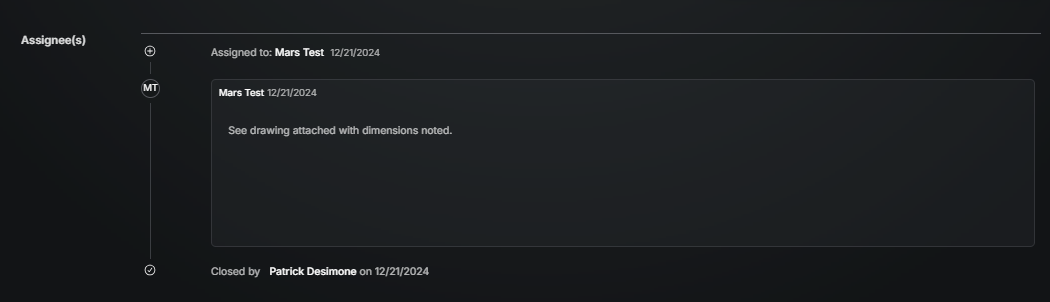
The assignees section tracks the history of responses, dates, and responsibility. Similar to an email chain, all the steps are shown from start to finish. If there is any question on how a solution was established, it will story will be clearly told here.
Creating a Submittal Log
Once submittals are created in advance, the tool home screen becomes your Submittal Log. That table can be sorted or filtered to the desired view and then exported to share in a meeting.
Distribute
After the process is complete, the submittal can be shared out. An email will be sent with a link to a pdf export. Learn more about Distributing a form.
Was this helpful?
Still need help? Ask the team