RFI
A question asked, answered, documented, and distributed.
Written By Patrick
Last updated 3 months ago
Requesting Information
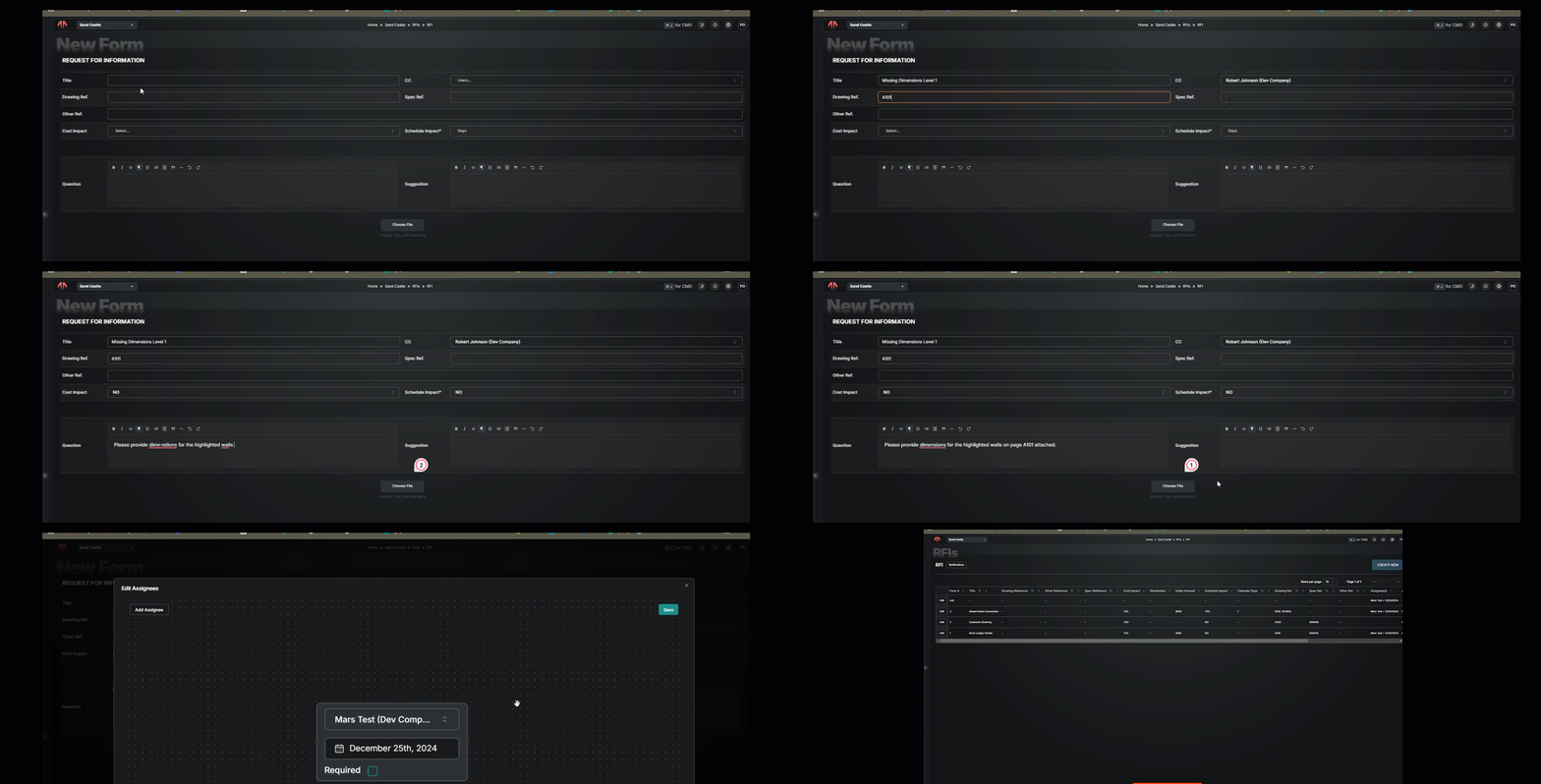
Fill out the upper portion of the RFI, including the title, references, potential impacts, question and suggestion.
Enter the contacts that will provide the answer(s) in the Assignees.
Select Continue and then Save Draft or Publish.
Providing a Response
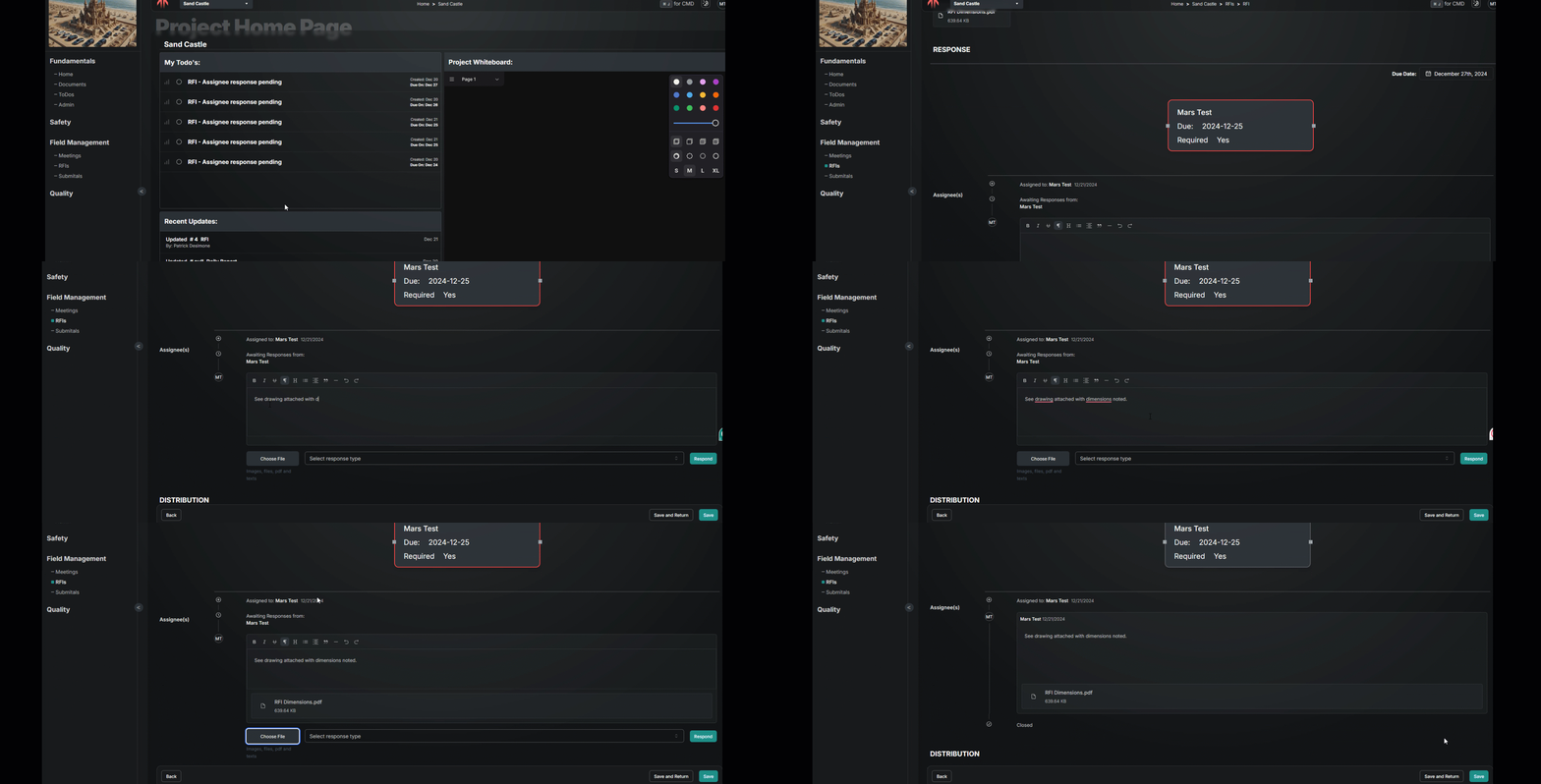
Only those who are Assigned and have the ball in their court will be able to respond. The assignees section will show court and due dates. To answer the RFI, enter text into the response box and upload any attachments.
Documented History
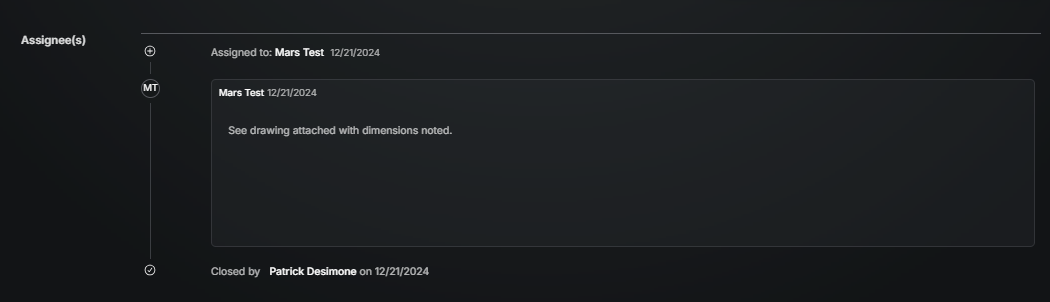
The assignees section tracks the history of responses, dates, and responsibility. Similar to an email chain, all the steps are shown from start to finish. If there is any question on how a solution was established, it will story will be clearly told here.
Enable Audit Trail
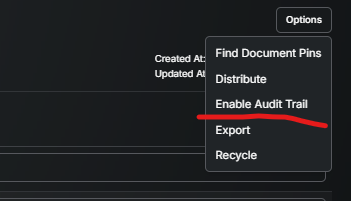
Wondering when or who updated something? Found under the Options button, the Enable Audit trail allows you to select the title of each field and show if it was changed, when and by who.
Distribute
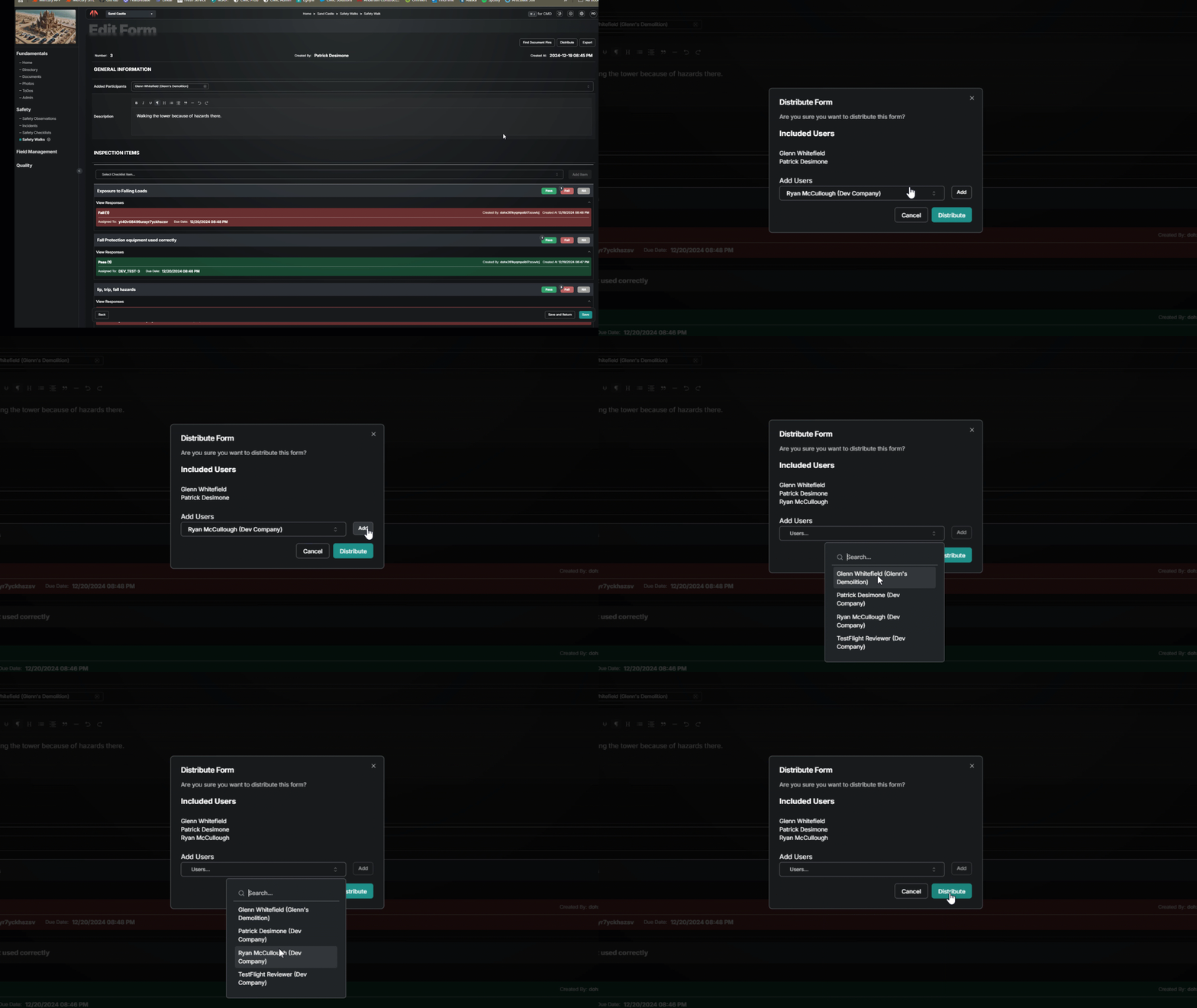
After the process is complete, the Form can be Closed by the creator and an email an email notification can be sent to all who should see the answer and not just those involved.
Select Close
Select Distribute in the upper right
Choose Individual Contacts, Groups, and/or type email addresses for those not in the directory.
Send
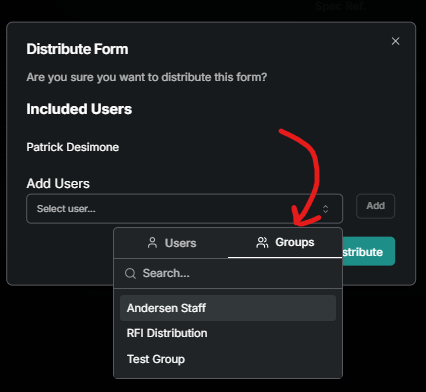
Group Selection
After selecting the area to enter another user, look for the Groups tab in the upper right of the dropdown window.
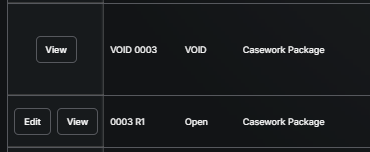
Create Revision
The logic for a revised form (typically a RFI or Submittal) is to communicate that a published/distributed response needs to be changed. When doing so the history of the original needs to be kept while making it clear the revised information is the final direction. Here's how to make that happen:
Select the Form (open or closed) and from the options menu select Create Revision.
A copy of the Form is created in the Draft status, with R1 after the number, and assignees are kept, but not the responses within
The existing form is changed to VOID and available for future reference. Any open ToDo associated with the original will be removed.
The Revised copy is ready to edit and then publish with new/updated information.
Standard Pricing Language
Admin Permission Required
If you would like to insert standard language on the RFI for pricing requirements, use add the Baked Text input to you Projects RFI template. Then the message will be included at the bottom of every RFI form. Here’s how to add to the Company template to have the language you want:
Go to Template Settings
In template options choose Edit
Insert new section
Add Baked Text Input
Publish
Good to Know
Check out the Document Mark-Ups article for how to post an RFI to the drawings or specs.
Was this helpful?
Still need help? Ask the team