Selection Input
Add a list to pick from to your form.
Written By Patrick
Last updated 5 months ago
When the values to pick from need to be limited or specific, use the selection input over text to gain consistency and improve reporting.
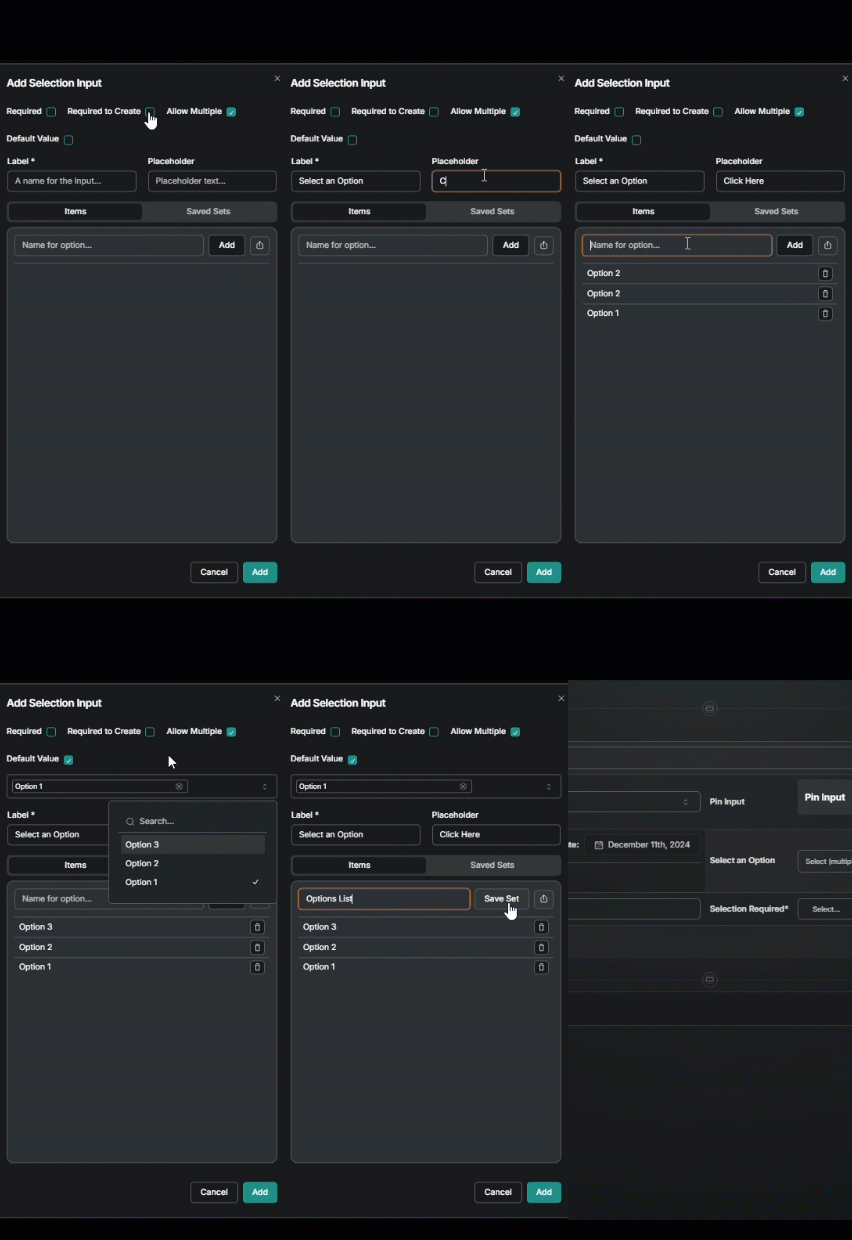
If applicable check
Required
Required to Create
Allow Multiple
Add a Label and Placeholder text
Start adding options by typing the word or number and selecting add or hit enter.
*Optional - If it is a list that will be used again in other forms, select the Send icon, give it a name and then Save Set. In the future, select Saved Sets instead of re-entering the list of values.
*Optional - Include a value that will start every new form by checking the Default Value box and then from the drop down that appears choose from the list.
Select Add
Edit Saved Selection Sets
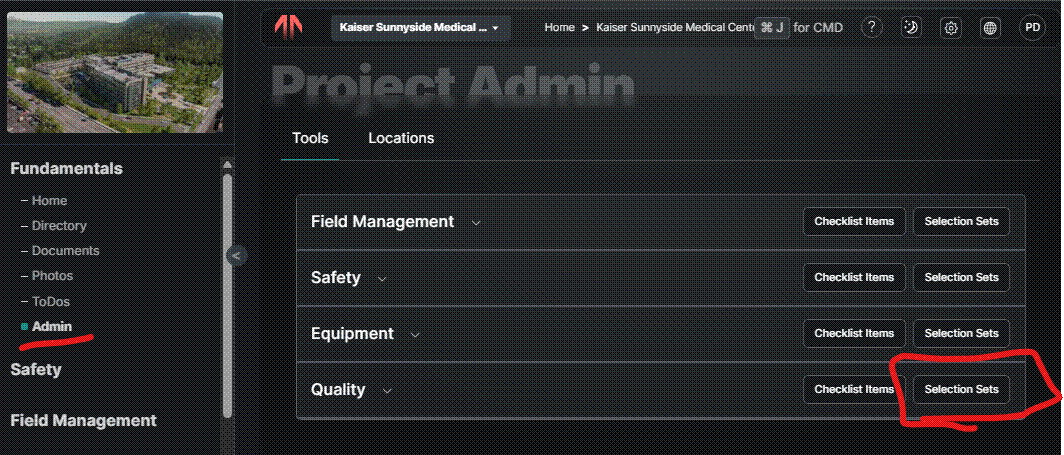
To edit Selection Sets that have been saved (or create new ones) at the project level head to Admin under Fundamentals and next to the tool name there’s a button for Selection Sets.
Was this helpful?
Still need help? Ask the team