Assigned To Input
This is the input that adds the workflow to a template. It is the critical component for assigning responsibility, due dates, and response options.
Written By Patrick
Last updated 5 months ago
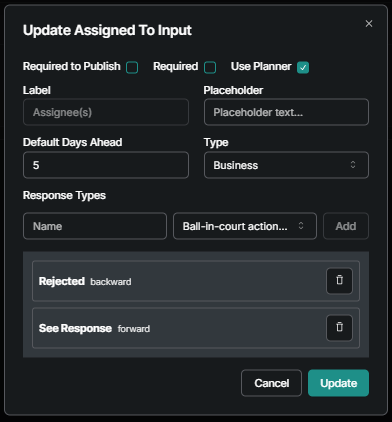
Use Planner flag is what makes the input Complex and gives the user the workflow nodes. Don’t check this box for templates that will be created on mobile. EXAMPLE: Right now the Safety and Quality Observations use Assignees without Use Planner.
Default Days Ahead will set a Due Date if the user does not.
Response Types come down to moving the ball-in-court Forward or Backward and then giving that action a name. Examples in the screen shot below.
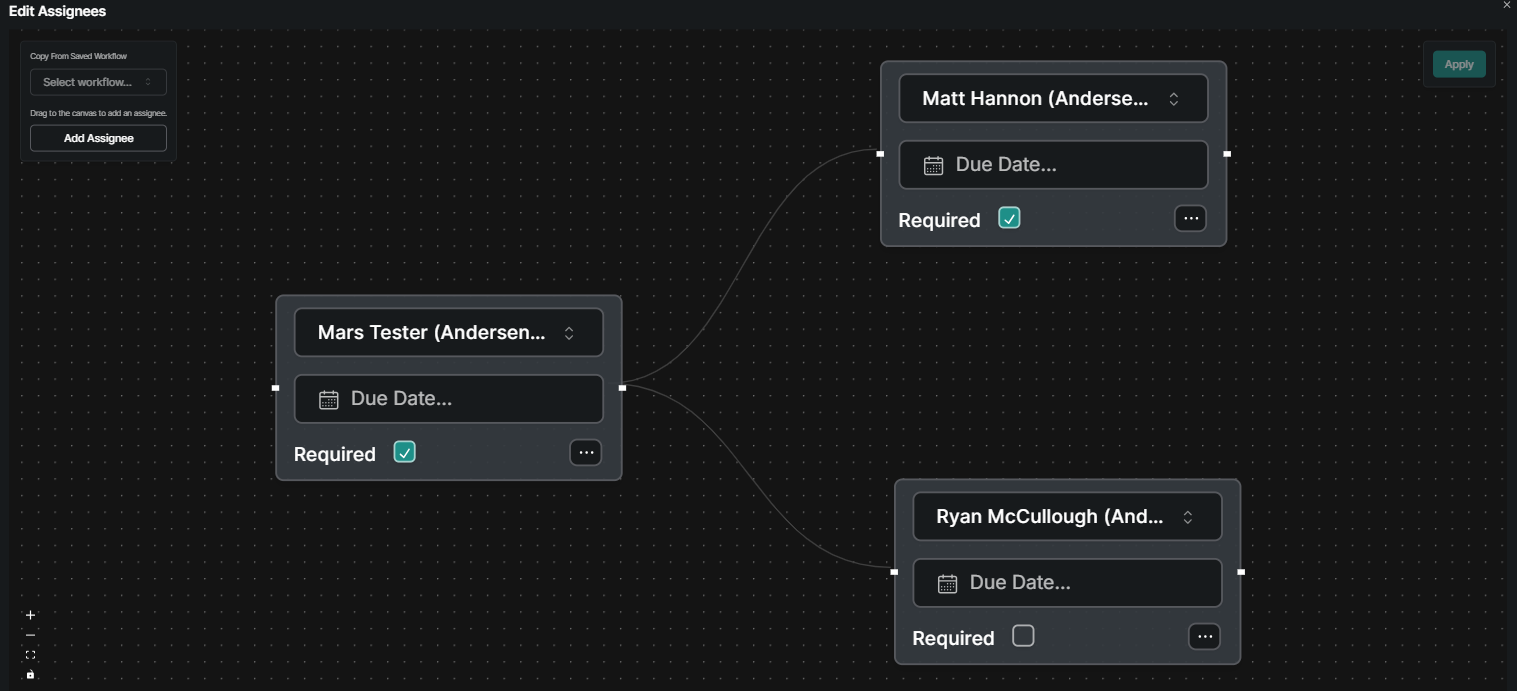
Complex Assignee Example [Use Planner = Checked]
Was this helpful?
Still need help? Ask the team