Daily Report
Record all the day's critical activity.
Written By Patrick
Last updated 2 months ago
The intent of the Daily Report tool is to record the days’ activity in as little time as possible so you can get back to managing the days activity. It is available and synced with both mobile and desktop.
Date
The tool will open to the current date. Click the date in the upper right and use the calendar to view other days.
Weather
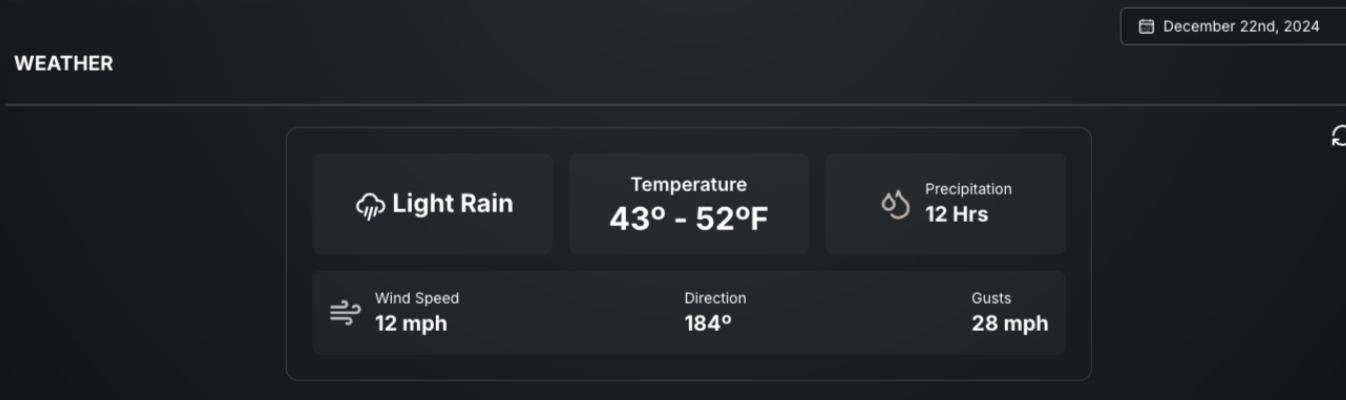
Weather information based on the project address is pulled in here. Precipitation, Temperature and Wind are the weather factors that impact our projects most. Use the Notes to comment on weather impacts.
Workforce
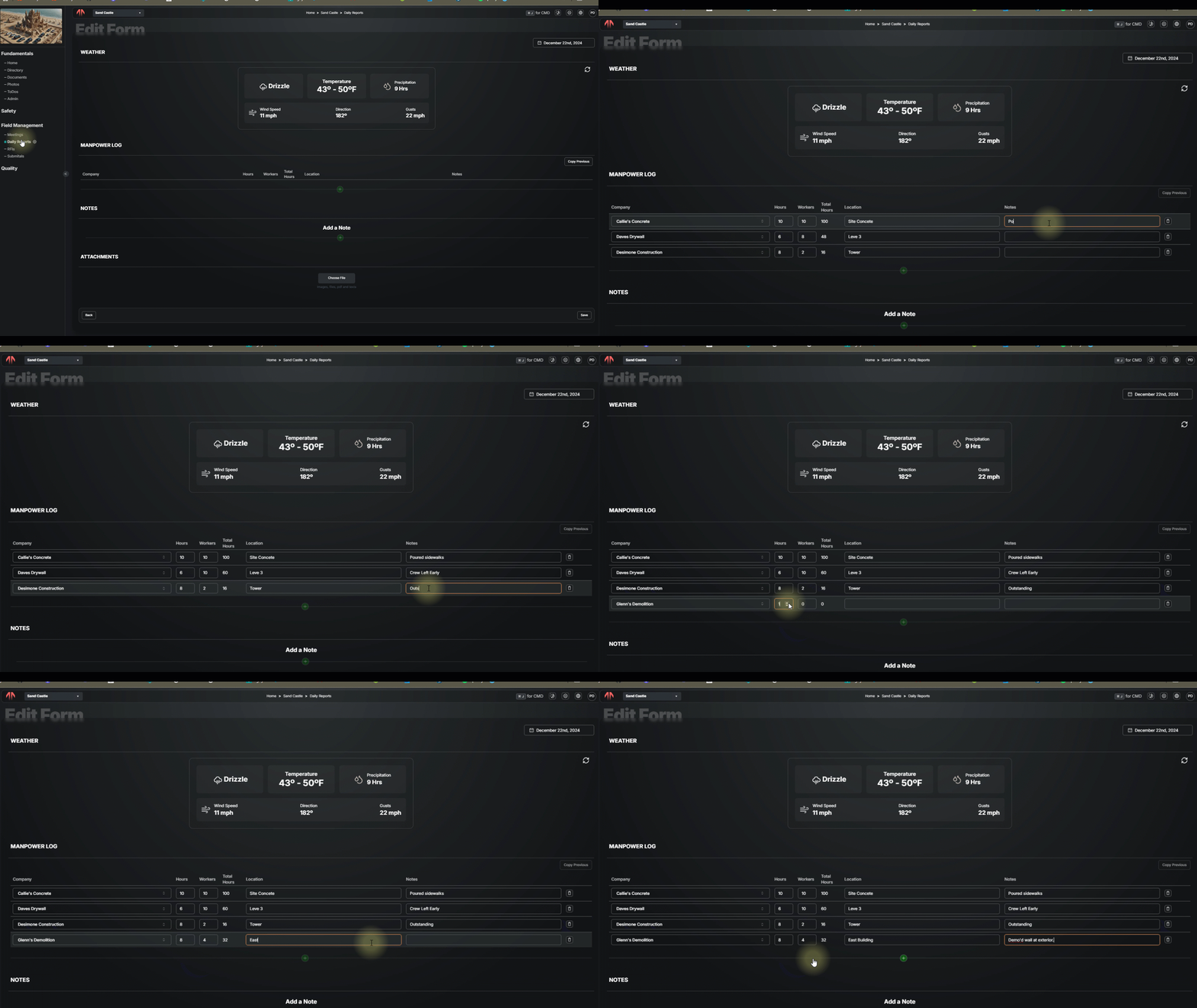
Insert rows with the + button for each trade partner on site. Contacts will pull from the directory and use Copy Previous button to pull in the last day that had Manpower entries to make updates instead of re-entering everything.
Notes
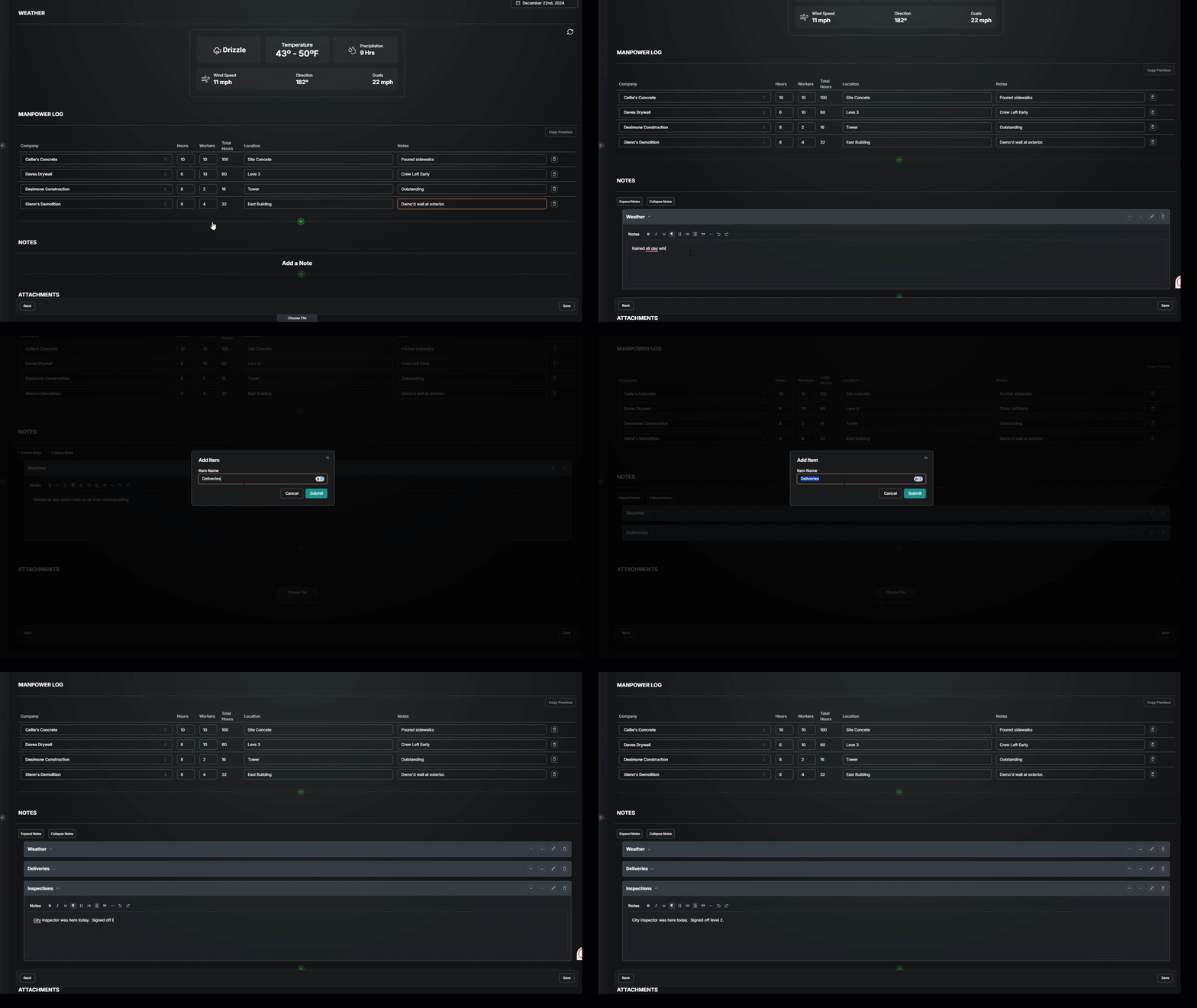
Go to the notes section, select the +, enter a title, and then type some notes. Click on the title of notes already entered to expand or collapse them. Change the order of the notes, delete them or make edits over on the far right.
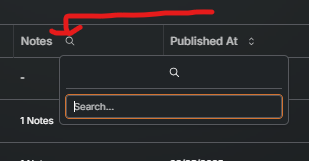
Notes Search
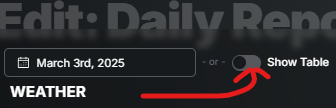
Toggle on Show Table just right of the date selection to see a list of all daily reports. Then select the Magnifying glass in the Column Header for Notes.
Good to Know
Each time a Daily Report form is updated it is logged at the top with when and who updated it.
Workforce and Notes will the user's initials in the upper right of who created (not updated) them.
Was this helpful?
Still need help? Ask the team