Admin
Manage the locations, menu and other customizations.
Written By Patrick
Last updated Over 1 year ago
PE/PM Permissions required for these tasks.
Locations
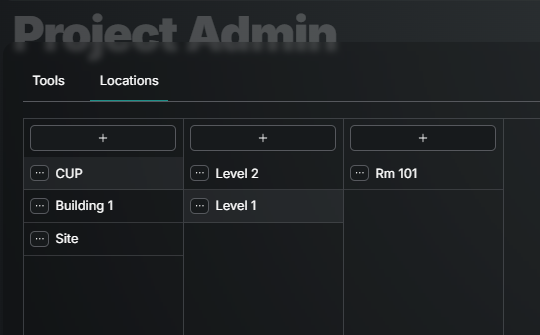
Often locations will be added via the QC planning process, but if they are missing use the steps below.
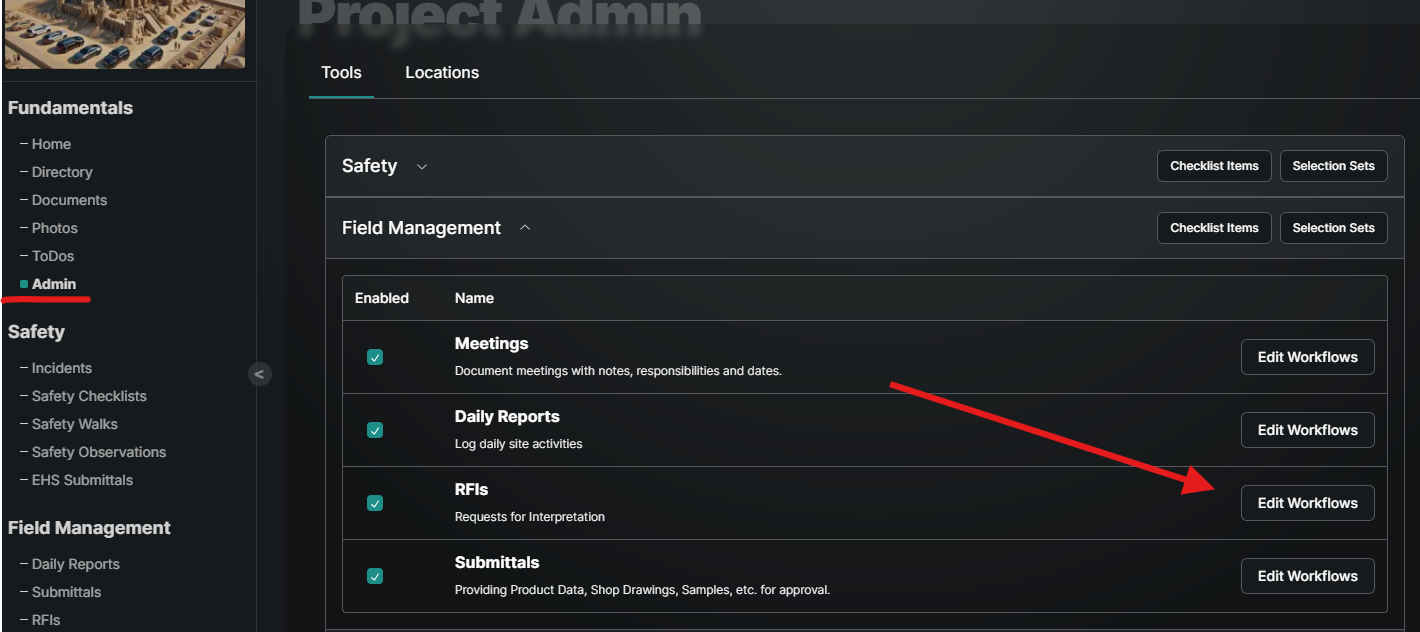
Under Fundamentals select Admin
In the upper right choose the Locations Tab
Use the + button to add the highest level in the hierarchy.
For the next tier, select the Location in need of a sub location and click the + in the next column over.
Rinse and repeat.
*Use the 3 ellipses to edit existing or recycle.
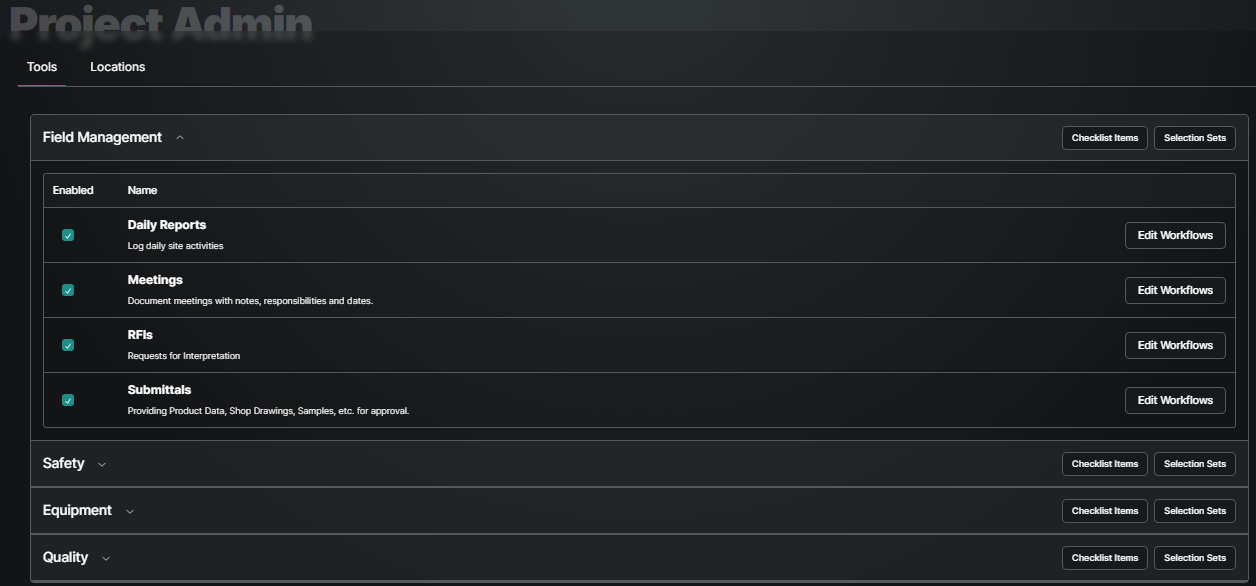
Project Tools
Under Fundamentals, select Admin, and under the Tools tab is a list of tools available to the project. These tools are created at the company level.
Copying Assignee Workflows
Need the same people to review MANY a RFI or Submittal? Follow the steps below to create the workflow once and then re-apply it to future forms. Once you’ve applied a template you can make changes to it.
Under Fundamentals select the tool and then Edit Workflows.
Select Add Workflow Template in the upper right, Name and Describe the Workflow.
Draw out the workflow Publish and then Save. Check out the Assignees article if you're new to workflow creation.
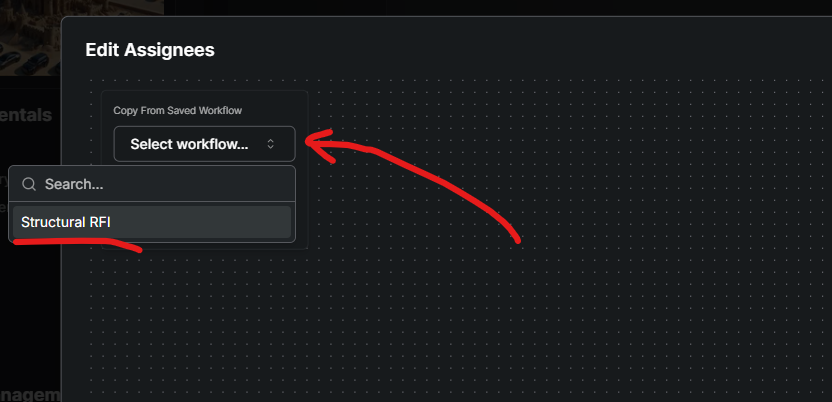
The next time you need to assign a form, you’ll find all saved workflows in the upper left of the Edit Assignees window.
Was this helpful?
Still need help? Ask the team