Photos
Manage project albums and pictures.
Written By Patrick
Last updated 5 months ago
Here are the things to know about photo’s in Mercury:
Any photos taken from the app (the camera tool) will NOT be stored on your device, but they can be downloaded or uploaded.
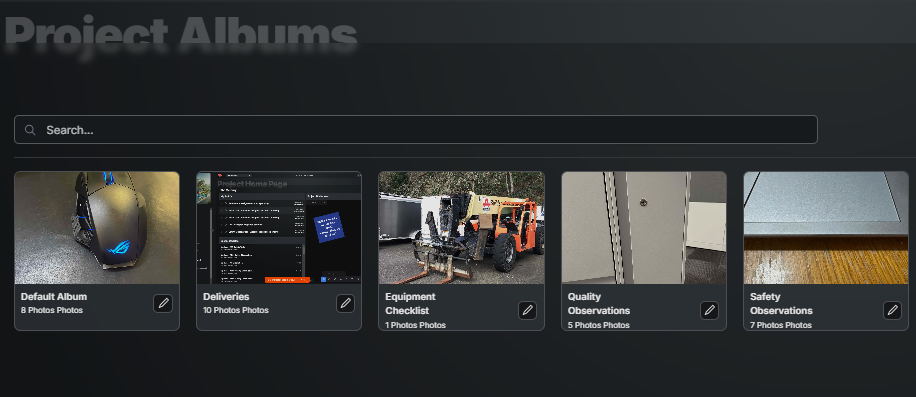
Any photos taken from Daily Reports or Observations will automatically go to an album for those tools. All others will go to a default album.
All photos will be date stamped from when they were added to Mercury.
New albums are created from Desktop.
Search will find words in the Name or Description, so the best way to find photos is to use those fields every time!
You do have the ability to mark-up photos on mobile.
Take Multiple Photos Quickly [Mobile]
Camara Button
Tab Default Album
*Choose Album
Take Photo 1
Use Photo
Exit Album
Exit Camera
*Album can be selected after exiting the Camera.
Bulk Updates to Photo’s
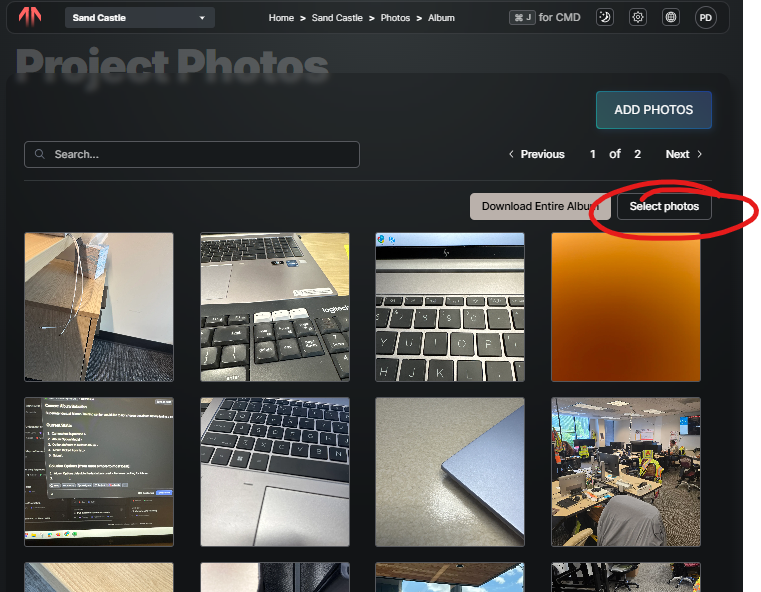
Open an Album
Click Select Photo’s
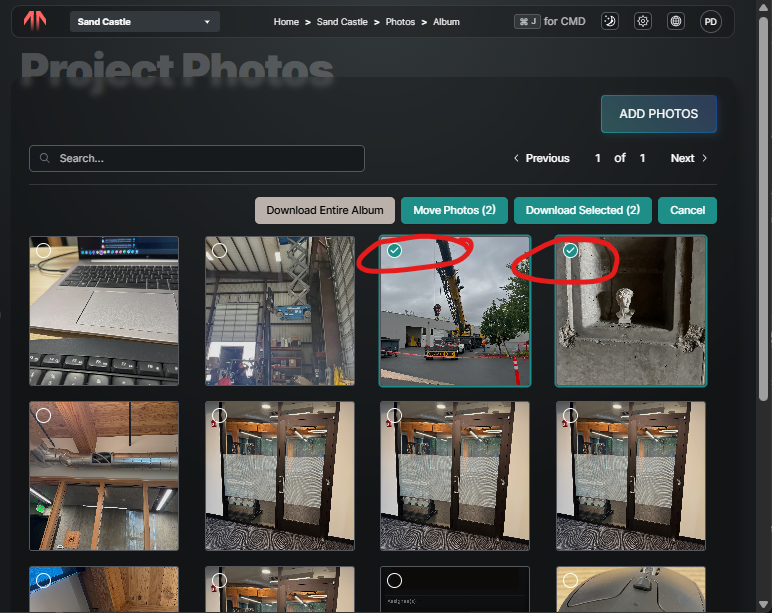
Select the photo’s in need of Downloading or Moving
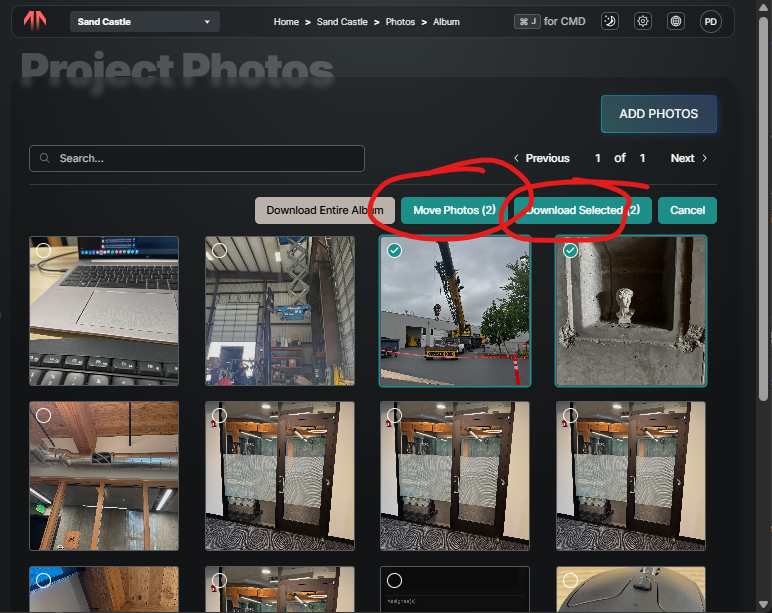
Select Download or Move
Good to Know
Albums can be created from Mobile or Desktop
Was this helpful?
Still need help? Ask the team