Adding Companies
PLEASE DO A THOROUGH CHECK TO MAKE SURE THE COMPANY YOU ARE ADDING IS NOT ALREADY THERE! We uploaded over 3,000 companies to launch Mercury.
Written By Patrick
Last updated Over 1 year ago
Company Admin Permissions Required!
Select the globe in the upper right top open the Company Directory.
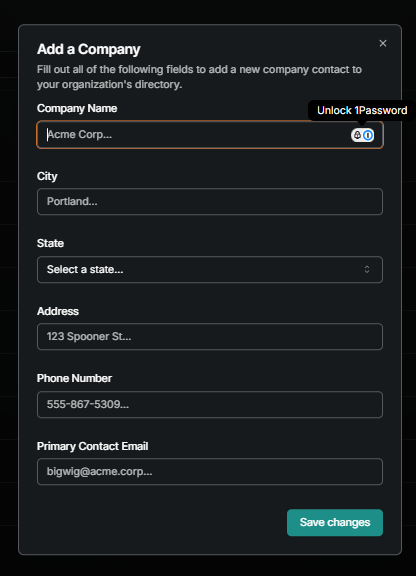
Under the Companies tab you’ll find Add Company.
Enter the Information.
Company
City
State
Street Address
Phone Number - Please use xxx-xxx-xxxx format.
*This process adds the company to the master directory of Mercury, the user then needs to Add Company to their Project to assign it to users.
Was this helpful?
Still need help? Ask the team