Mobile Tips
Spending time on the mobile app? Check out the tips below to save time.
Written By Patrick
Last updated 6 months ago
Quick Create
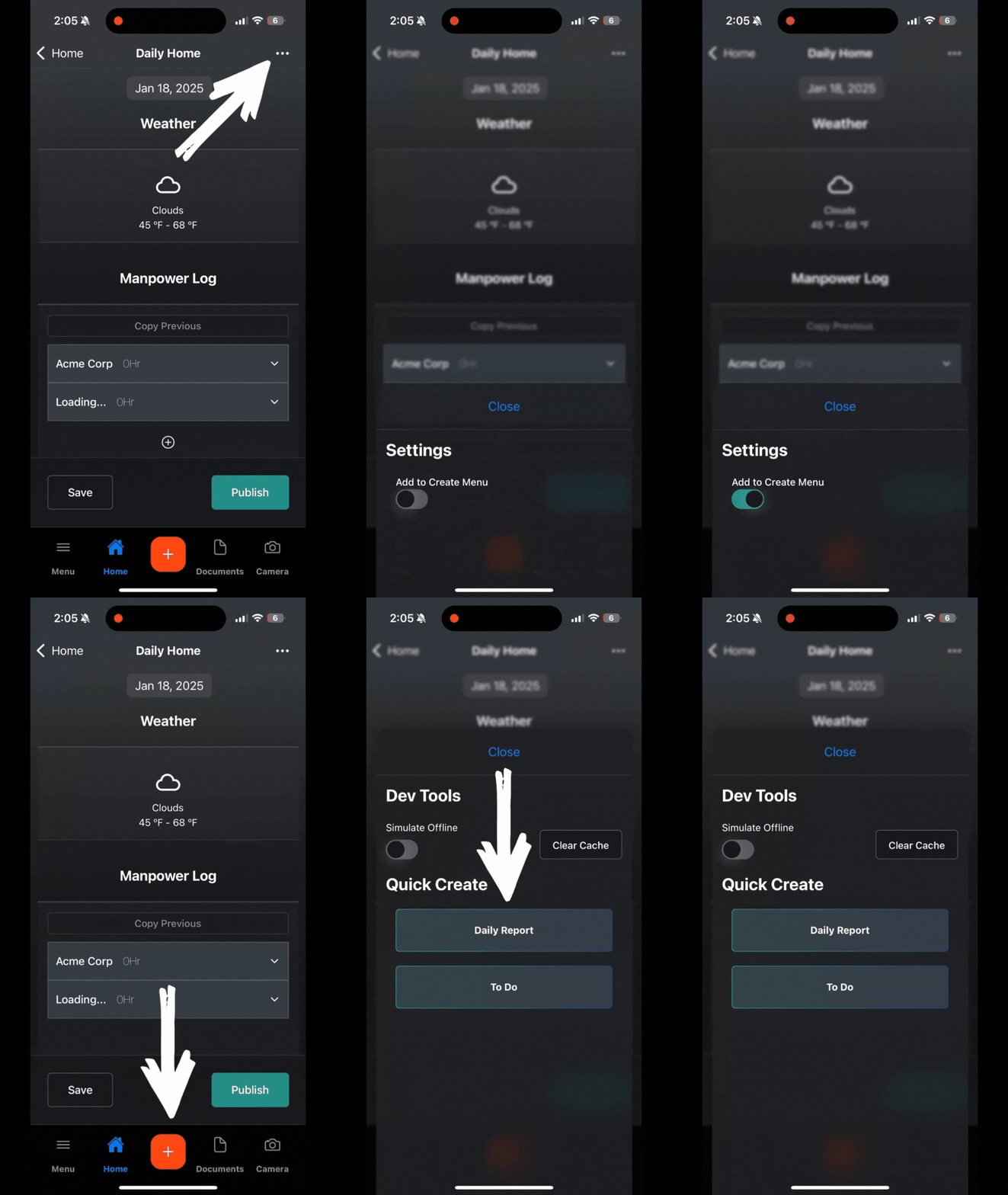
From the tool home screen, tap the three ellipses and toggle on the Add to Create Menu. Next time you tap the large plus button, that tool will be available.
Draft vs Published
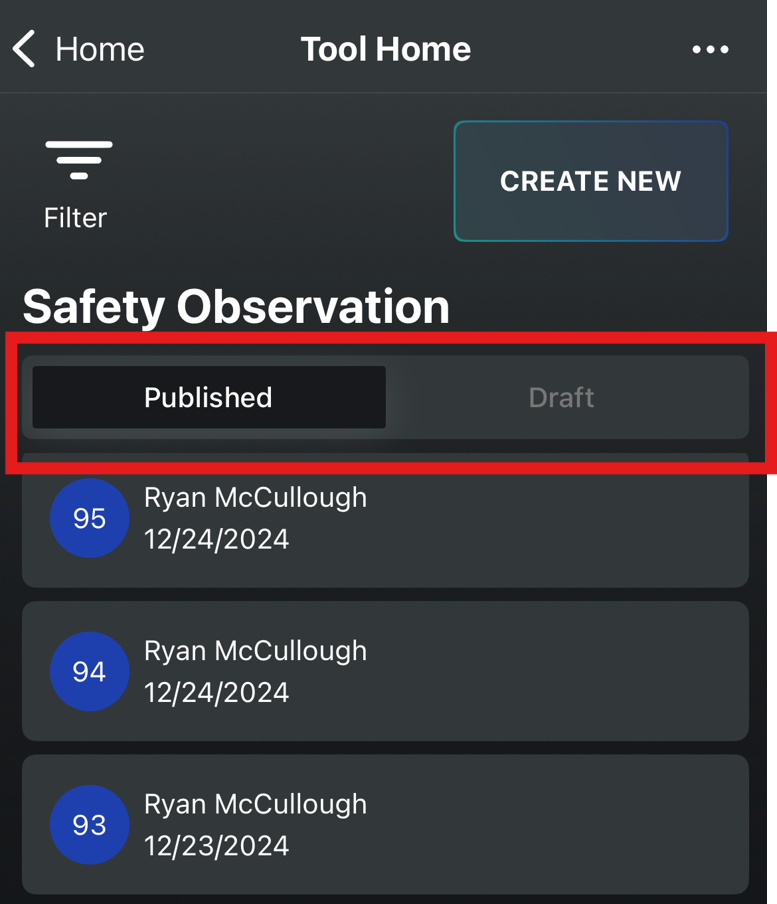
Each tool has the Forms separated by the two tabs. Learn more about Draft vs Published.
Talk to Text
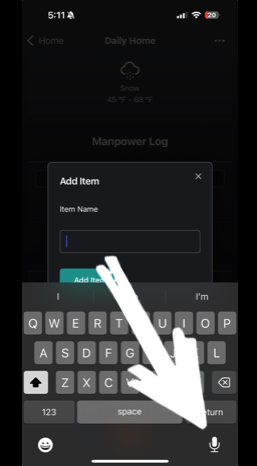
We didn’t create this feature, but it works great! There’s a button that looks like a microphone on your keyboard. When you’re in the description field, tap it and start talking. It will be way easier than typing on a tiny keyboard with those gloves on.
Switching Projects
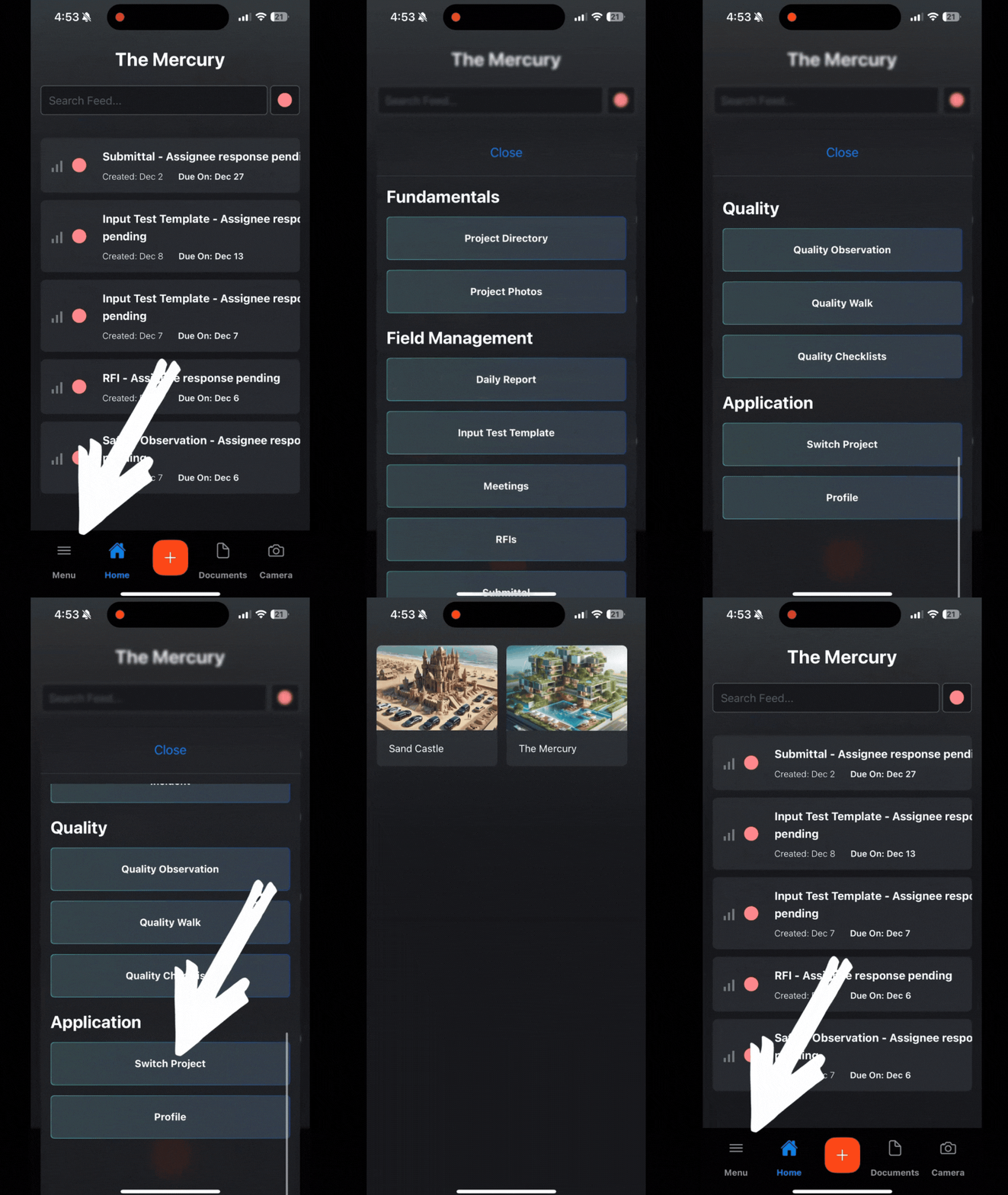
Tap the Menu and scroll to the bottom. You’ll find it under Applications.
Filtering
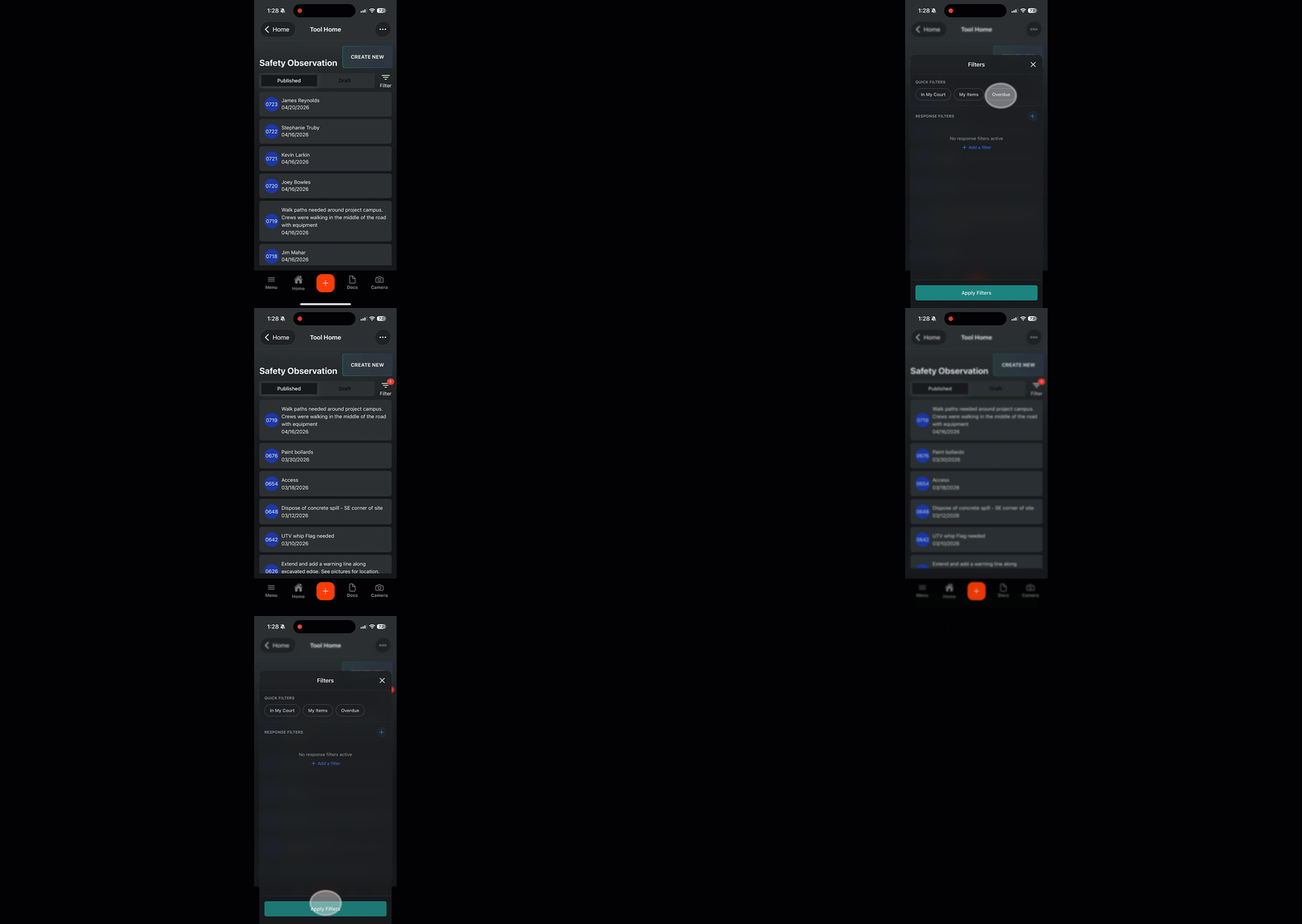
From any tool that has a list of created forms, tap the Filter icon, choose from one of the filter options and hit apply. To turn of filters, clear them and hit apply again.
Good to Know
Check out this article on how to navigate drawings on Mobile.
Was this helpful?
Still need help? Ask the team