Title, Number, Date & Text Inputs
Below are all the places this field appears beyond just the form and how it is different than a Simple Text input.
Written By Patrick
Last updated 2 months ago
Text vs Title:
The Title input will show in the email notification for the form, but Text will not.
Number
Limits the what is typed in the form to numbers only.
Primary Identifier:
Checking this box will cause the text in the title field to be pulled into the PDF Export in addition to the Template name. “Template - Title Field (System generated Number)” or RFI - Flashing Details (003).
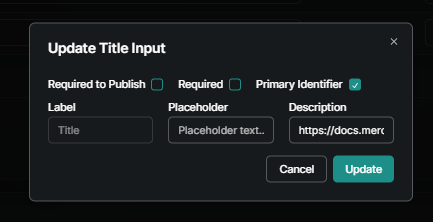
Template Editor View
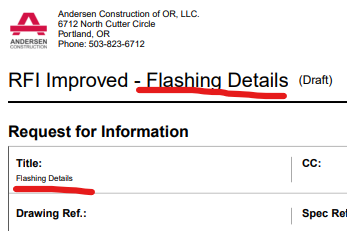
PDF Export Example
Pin Label
Checking this box will bring the text entered into this field as the label for the document Pin. Standard is to use the Template name and form number as the Pin label, but if you’ve gone rogue with numbering this is the solution.
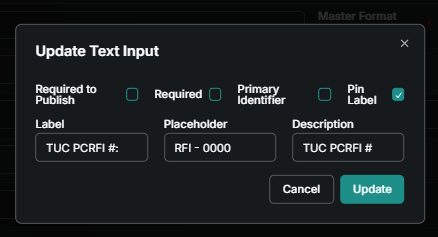
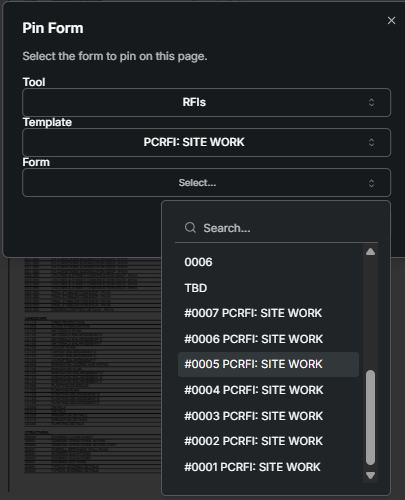
Baked Text
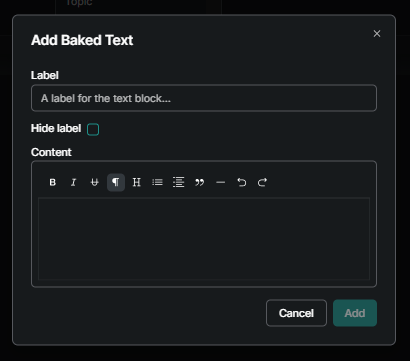
This input allows text to be included in every form that cannot be modified. Use cases are instructions on how to use the form or standard language like “pricing for this rfi is due…). The label can be hidden if it is not applicable.
Date Input
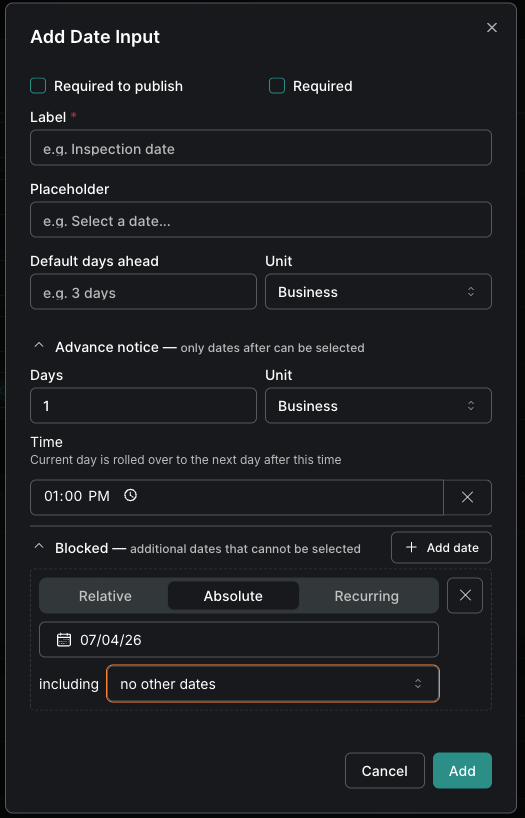
In addition to the typical settings you’d expect, the date input also offers the ability to Block Out days to prevent someone from picking specific dates or a date in the near future. EX You don’t want someone picking tomorrow for a date after 1PM today or you don’t want a holiday picked.
Good to Know
Check out the Intro to Building Templates for the features like Required and Placeholder included in this input that apply to many.
Was this helpful?
Still need help? Ask the team