Tool Home Page
What you see when first selecting a tool.
Written By Patrick
Last updated About 1 year ago
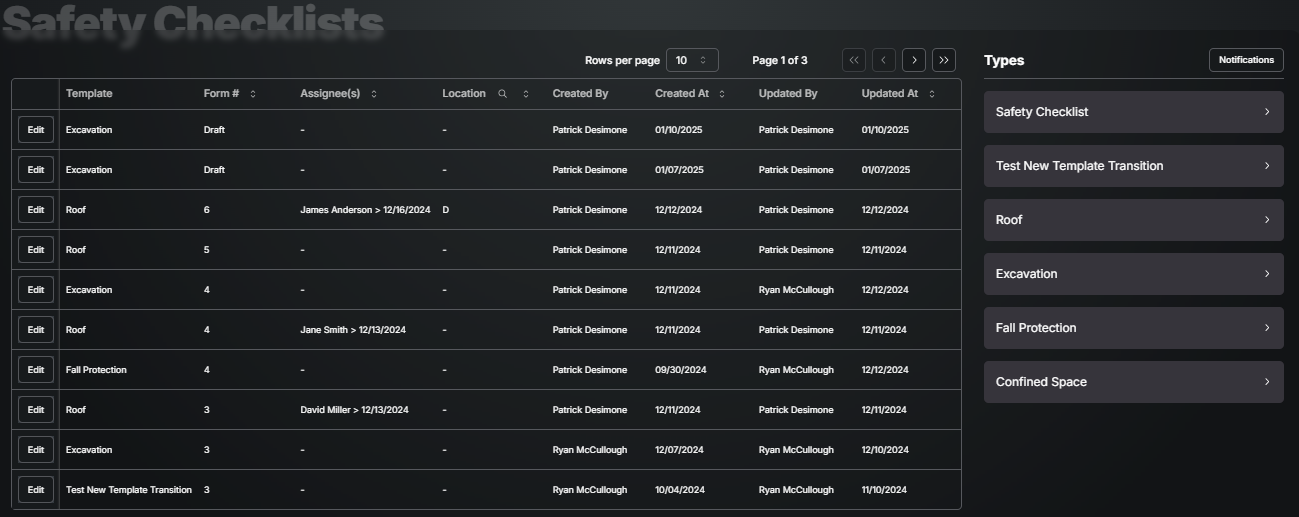
Every tool in Mercury has a summary table that lists all the forms completed and any alternate templates. Sort, Filter, or Export this list to find the form you need. If there are more than one template within the tool, the far right will show that list.
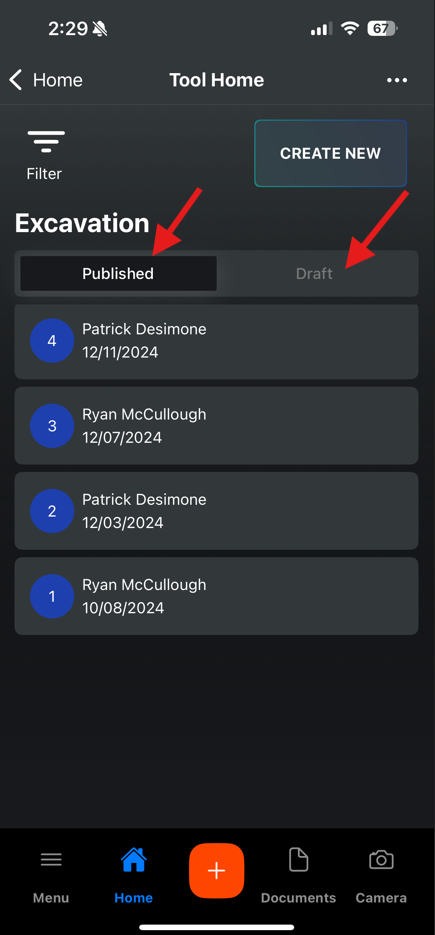
Tool home for Mobile shows a more consolidated list with the Published items under one tab and Draft Items under another.
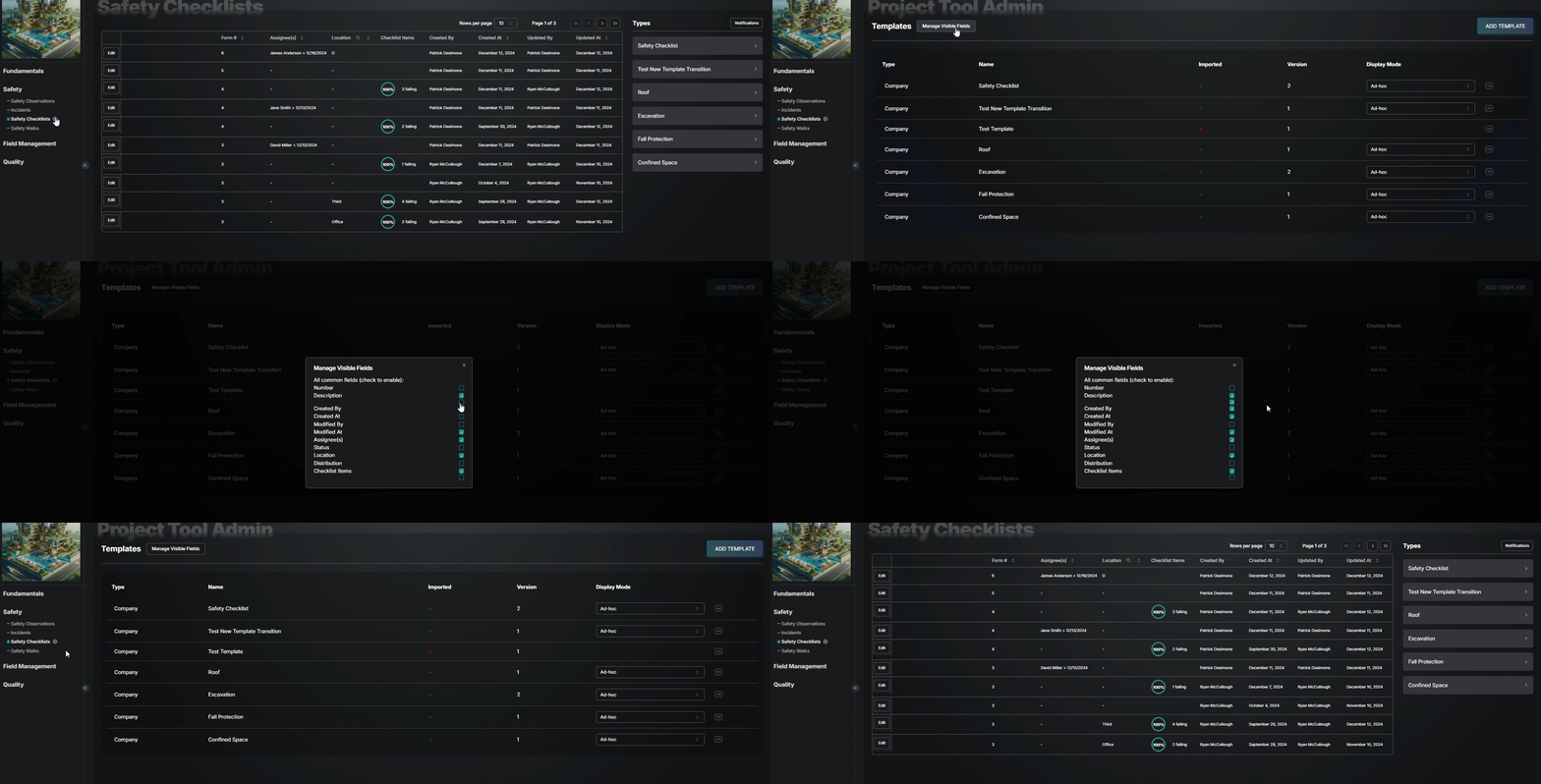
If you have more than one template, customize the table by hiding columns:
Select the Settings Gear next to the tool name
Select Manage Visible Fields in the upper right
Check the boxes next to fields you want to show as column in your table.
Good to Know
Making changes to the table will only be seen by you and no one else on the project, so if someone else likes what you did, help them by walking then thru how you did yours!